How to Build a SaaS MVP in .NET (Step-by-Step)
A SaaS MVP in .NET is not a demo you put behind a login page. It's the smallest version of your product that real users can sign up for, pay for, and actually use. The goal is to validate your idea with the least amount of work - not to build half a product and call it done.
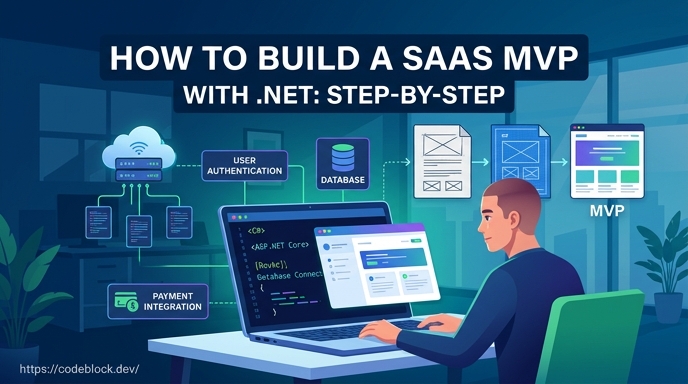
This guide is for .NET developers who have a validated idea (or something close to one) and want a structured path from that idea to a live product with paying users. If you're still working on the idea side, how to find a good SaaS idea and validate it comes before this step.
Step 1: Define Your MVP Scope in Writing
Before you write any code, write down exactly what the MVP includes and, more importantly, what it excludes.
Answer these three questions:
- What is the one thing this product does for the user?
- What does the user need to do to experience that value?
- What is the minimum context around that experience to make it trustworthy? (login, payment, basic settings)
Everything on that list is in scope. Everything else goes on a backlog. Be ruthless here. The most common SaaS MVP mistake is scope creep before the first user. You add features "while you're at it," delay for polish, and find yourself four months in with a half-built product and no user feedback.
Step 2: Choose Your Foundation
The .NET foundation work - auth, billing, admin, user management - takes four to eight weeks to build correctly from scratch. That's not the MVP work. That's the scaffolding your MVP sits on. If you build it yourself, you've spent the MVP timeline before writing a single product-specific line.
The faster path: start with a production-ready .NET SaaS foundation that handles this work before you begin.
What you need from that foundation:
- Authentication: registration, login, email verification, password reset, and 2FA
- Subscription billing: Stripe integration with webhook handling, renewal logic, and failed payment handling - not just a checkout button
- User management: users can see their plan, update their account, and manage their subscription
- Admin panel: you can see what's happening, support users, and adjust plans
A foundation that checks these boxes means your first sprint is on the feature that makes your product worth using. For what this foundation looks like in practice, How to Build a Production-Ready SaaS in .NET covers the full picture.
Step 3: Set Up and Configure
Once you have a working foundation, the first sprint is configuration, not building.
Environment variables. Database connection string, Stripe API keys (test mode first), email service credentials (Mailgun, SendGrid, or similar), application URL.
Stripe products and plans. Create your actual subscription plans in Stripe's test dashboard before your launch. Name them, set prices, configure trial periods if you're offering them. This takes thirty minutes and prevents you from hardcoding prices.
Transactional emails. Welcome email, password reset, subscription confirmation, failed payment notification. These need to work before launch. Set up a transactional email service (Mailgun, Postmark, Resend) and configure each template. Testing email flows manually in development will save you from embarrassing failures on day one.
Domain and deployment. Deploy to a real URL in this sprint, not at the end. Getting the app running in production early surfaces configuration problems when they're cheap to fix, not when they delay your launch.
Step 4: Build the Core Feature
This is the only sprint that's actually about your product.
With the foundation handling auth, billing, and admin, your development time goes entirely toward the feature that justifies the subscription. Build the minimum version of that feature: enough for a user to experience the value you described in Step 1.
Practical guidance for this sprint:
Keep scope to one feature, not a feature set. "Invoicing" is a feature. "Invoicing, expense tracking, time tracking, and client portal" is four features. Build one.
Wire UI to real data from the start. Placeholder data and mock flows delay the feedback you need. If the core feature interacts with a third-party API, integrate that API in the MVP sprint rather than mocking it.
Make the unhappy paths work too. What happens when the feature fails? What does the user see? Users who hit an empty error state on their first interaction are unlikely to return.
Step 5: Test with Five Real Users
Before a public launch, get the app in front of five people who have the problem you're solving. Not friends who will tell you it looks great - actual people who would pay for this if it worked.
Run each person through the product from the start. Watch where they get confused, where they stop, and what questions they ask. You're not asking for feature requests - you're watching for failure points in the existing flow.
Common things this session reveals:
- Onboarding flow gaps: the user doesn't understand what to do first
- Feature discovery problems: the core feature exists but users can't find it
- Auth friction: email verification breaks on mobile, or the password requirements aren't explained
- Billing confusion: users aren't sure what they're signing up for or what the trial includes
Fix these before the public launch. Issues you catch now are an hour of work. Issues you catch after launch are a reputation problem.
Step 6: Enable Real Billing and Launch
Switch Stripe from test mode to live. Test the full payment flow with a real card. Confirm that:
- A new user can sign up and complete checkout
- The subscription confirmation email sends correctly
- The user's access is updated immediately after successful payment
- A failed payment triggers the retry logic and the notification email
These flows must work on launch day. Billing problems in the first week destroy trust faster than any other category of issue.
Once the billing is confirmed live and the core feature works end to end, launch. Start with the five people you tested with, then expand to a waitlist or community. Don't wait for perfection. The feedback from a live product with paying users is worth more than another month of improvements to a product no one has used.
Step 7: Measure One Thing and Iterate
In the first week after launch, track one metric: are users reaching the core feature? This is your activation rate.
If 80% of signups never reach the value moment, the problem is onboarding, not the feature. Fix onboarding before adding anything. If users reach the feature but don't convert to paid, the problem is either the value proposition or the pricing. If they're paying but not renewing, the problem is somewhere in the sustained experience.
Pick the metric that diagnoses the actual problem, address it, and repeat. This is faster progress than building new features for users who haven't arrived yet.
The .NET Advantage Here
For .NET developers specifically, the foundation step (Step 2) is where the .NET ecosystem really helps. CodeBlock DevKit delivers auth, subscriptions, admin panel, roles, and monitoring as NuGet packages - the complete foundation before you write product code. The SaaS template on GitHub shows a working application built on those modules.
For a broader comparison of what a .NET SaaS template looks like relative to other stacks at the foundation level, The Best SaaS Boilerplates in 2026 (Compared) covers options across ecosystems with an honest assessment of each.
The fastest SaaS MVP is not the most clever one. It's the one where the foundation was handled before the first sprint, the scope was defined before the first line of code, and the first five users got access before the feature list grew.