Stripe Subscriptions in .NET SaaS: What You Actually Have to Build
Stripe can charge a card in a demo in one afternoon.
But building a real SaaS subscription system is something else entirely.
The real work is handling renewals, failed payments, refunds, edge cases, and support—keeping billing healthy in real life, not just in test mode.
This article zooms in on one part of SaaS almost everyone underestimates: subscriptions and billing with Stripe.
If you're new to SaaS, start with What is SaaS? A simple guide (with a real example)
Why Stripe Integration Is Never “Just One Feature”
At first, it feels simple:
User picks a plan, pays, and gets access.
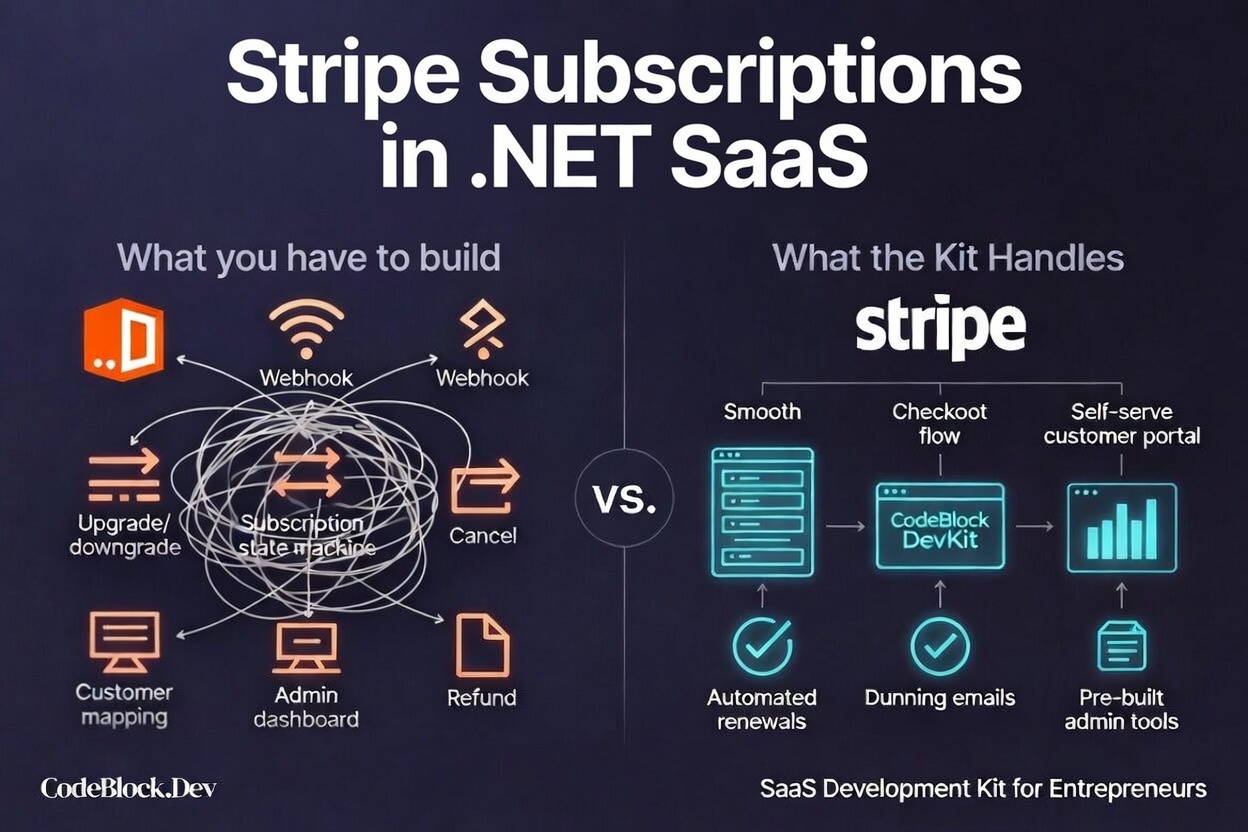
But subscriptions are ongoing. After launch, you’ll need to handle:
- Successful and failed payments
- Billing renewals
- Upgrades/downgrades
- Cancellations/reactivations
- Refunds and disputes
- Customer emails and notifications
- Internal tools for support
Stripe takes care of payments, but your application is responsible for everything that happens before, during, and after.
What You Actually Need to Build
Launching a real subscription SaaS means building more than simple API calls. Here’s what most real-world teams wind up implementing:
1. Your Own Pricing and Subscription Model
Stripe has products and prices, but your app defines what each plan means, what “active” means, what’s included, what’s limited, and what free trials (if any) look like.
2. Mapping Users to Stripe Data
Your system needs to reliably connect:
- Your user accounts
- The Stripe customer
- The subscription record
If this mapping breaks—for example, if users pay before an account is made or switch email addresses—trust falls apart.
3. Webhooks: The Source of Truth
Never trust only the browser or post-payment redirect.
Stripe webhooks are what actually matter.
To get this right, you’ll need to:
- Verify webhook signatures
- Handle duplicate events and retries
- Update your database in a consistent way
- Trigger follow-up (emails, upgrades)
If webhooks are unstable, your data will eventually get out of sync.
Users might see “active” while Stripe says “unpaid.”
4. Admin and Support Tools
Growth (and frustration) comes down to how quickly you can:
- Search users and subscriptions
- Issue refunds safely
- See full billing and support history
- Investigate “what went wrong” errors
If you skip these, every billing issue becomes a personal headache.
Practical Checklist for Your First Version
Use this checklist to scope your first launch:
Customer Experience
- Plan selection and upgrade/downgrade flows
- Payment flow (Stripe Checkout or equivalent)
- Essential billing emails (receipts, failures)
- Self-service cancellation
- Clear messaging for failed payments
System Reliability
- Webhook endpoint (with signature verification)
- Idempotent event handling
- Subscription state in your database
- Simple reconciliation job to fix mismatches
Business Operations
- Admin visibility into subscriptions
- Refund workflow
- Audit trail for any billing/account changes
If this seems long, that’s why billing is the top reason for delays in SaaS launches.
Should You Build All of This Yourself?
The easy test:
Is billing a true differentiator for your product, or just something users expect to work every time?
Build it yourself if:
- You need complex, usage-based pricing
- Advanced team/seat logic
- Contracts with detailed, custom billing
But for most SaaS products?
What you need is reliability and clarity for users.
Building everything from scratch is rarely worth it.
A Faster Path With a Ready Foundation
This is where CodeBlock DevKit comes in.
Instead of reinventing billing, subscriptions, and admin tools, you get:
- Pricing and plan management
- Stripe payment integration
- Subscription lifecycle handling
- Admin and user panels
- Monitoring and tracking
So you can focus on what actually makes your product valuable.
For technical details, visit the CodeBlock DevKit docs.
Mistakes to Avoid
Save yourself hassle by avoiding these:
- Treating the success page as proof of payment
- Skipping webhook retries and idempotency
- Postponing admin tool development
- Not tracking billing changes
Avoiding these doesn’t guarantee overnight growth, but it does mean far fewer fires and angry users.
What to Do Next
Before you write code, nail down:
- Your subscription logic—plain English
- Webhook events you’ll handle from day one
- What actually happens when a payment fails
- Admin panel must-haves (day one!)
Just doing these can save you weeks later.
Final Takeaway
Stripe makes payments simple.
A real, healthy subscription system is the hard part.
If you want to launch a true SaaS, focus on your product, your users, your value—
and stand on a solid foundation for everything else.
That’s how you move from demo... to a real business.