SaaS Boilerplate on GitHub: What to Look for Before You Clone
GitHub has hundreds of repositories tagged as SaaS boilerplates. Star counts look impressive, READMEs describe elegant architecture, and the demos are polished. Then you clone, spend two days digging in, and discover that the billing logic stops at the checkout success page, the last commit was eighteen months ago, and the license restricts commercial use.
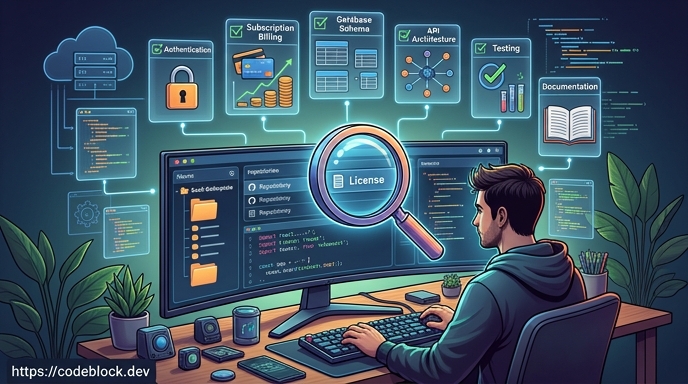 The evaluation work you skip before cloning always shows up later. This guide covers what actually matters when assessing any saas boilerplate github option before you commit to building on it.
Check the License First
This one is non-negotiable and often overlooked. Many open-source SaaS boilerplates on GitHub carry licenses that restrict commercial use. MIT and Apache 2.0 are permissive. GPL requires derivative works to be open-source. Some projects use custom licenses that explicitly prohibit building commercial products without purchasing a separate license.
Before anything else, read the LICENSE file. If there isn't one, the project defaults to "all rights reserved" under copyright law, which means you cannot legally use it for a commercial product regardless of how it's described.
Common patterns to watch for:
- MIT / Apache 2.0: Permissive, commercial use allowed with attribution
- GPL v3: Can use commercially but must open-source your code
- Custom / proprietary: Read every clause; commercial restrictions are common
- No license file: Do not use for commercial projects without written permission
Assess Maintenance Recency
A boilerplate with no commits in the last year is a technical debt risk from day one. Every week it sits unmaintained, its dependencies drift further from current versions, and any bugs reported in issues accumulate without fixes.
To check maintenance health:
- Look at the commit history: how recently was it updated, and with what frequency?
- Check the open issues tab: are issues being triaged and closed, or do they pile up unanswered?
- Look at the pull requests: are contributions from others being reviewed, or ignored?
- Check whether the boilerplate targets a supported version of its core framework
A well-maintained boilerplate is not just about bug fixes. It's about whether the person or team behind it will be there when you need to upgrade a dependency or address a security vulnerability next year.
Verify Billing Completeness - Seriously
This is where most free SaaS boilerplates fall short, and it is the most expensive gap to discover late.
A billing integration is not just a Stripe checkout button. A production-ready subscription system needs:
- Stripe Checkout or Payment Links (the happy path)
- Webhook handling for all relevant events:
checkout.session.completed,invoice.payment_failed,customer.subscription.updated,customer.subscription.deleted - Subscription renewal logic that doesn't depend on manual triggers
- Failed payment handling: retry logic, grace periods, and downgrade on non-payment
- Plan changes: upgrades, downgrades, and proration
- Cancellation flows with correct access revocation timing
Clone the boilerplate and look at the code, not the README. Find where webhooks are handled. If there is no webhook handler, or it handles only the checkout success event, you will be building the rest from scratch.
This is explored in depth at SaaS Foundations: The Hidden Work Behind a Real Product, and SaaS Subscription Management: What You Need to Build covers the full lifecycle in detail.
Check What the Admin Panel Actually Does
Most demos show an attractive admin dashboard. Most boilerplates implement it as a read-only data table.
A functional admin panel for a SaaS product includes:
- Viewing and searching users by account, subscription, and status
- Manually adjusting a user's plan or subscription (for support cases)
- Applying credits, adjusting billing dates, or issuing refunds
- Viewing activity logs to diagnose reported issues
- Managing roles and permissions
If the admin section only shows a list of users with no ability to take action, you'll build the support tooling yourself - after launch, under pressure, when a customer is waiting.
Verify the Authentication Flows Are Complete
Authentication is another area where boilerplates frequently show the happy path and leave the edge cases to you. Check that the following all work, not just display:
- Email verification after registration
- Password reset via email
- Session management and logout from all devices
- Two-factor authentication, if the project claims to include it
- Social login flows (if advertised) including the case where the email is already registered
Broken auth flows become support requests on day one of launch.
Look at the Update Strategy
When the boilerplate releases updates, how do you receive them? There are two main approaches:
Source fork (most common): You clone the repo, make changes, and own the source. Updates from the original project require manual merges. As your codebase diverges, merging updates gets harder. For a project that will evolve over years, this is real ongoing maintenance work.
Package-based (less common, more maintainable): The boilerplate ships as versioned packages (NuGet, npm). Updates come through the package manager. Your customizations sit on top of the versioned foundation. This is how CodeBlock DevKit works: the SaaS modules are NuGet packages, and updates are dotnet update rather than git merges.
For a longer-lived product, the update strategy matters more than most developers realize when they first evaluate a boilerplate.
Evaluate Community and Documentation
A star count is a marketing signal, not a quality signal. What matters for your actual work:
- Is there documentation that explains how to extend the modules?
- Is there a community (Discord, forum, GitHub Discussions) where questions get answered?
- Are there other developers actively using it who you can learn from?
A boilerplate with 200 stars and active Discussions is more useful than one with 5,000 stars and unanswered issue threads.
The Free vs Paid Question
Free options make sense for learning, prototyping, and demos. For a production product, the honest math is: a free boilerplate that needs two weeks of debugging and gap-filling is more expensive than a paid option at a fixed price.
The relevant question is not "does it cost money?" but "what does it actually include, and will it stay maintained?" The Best SaaS Boilerplates in 2026 (Compared) evaluates the main options across stacks against these criteria.
A Checklist Before You Clone
- License permits commercial use without restrictions
- Committed to in the last three months
- Open issues are being triaged and resolved
- Billing includes webhook handling, not just Stripe Checkout
- Admin panel has real management capability, not just read-only tables
- Auth includes email verification, password reset, and 2FA
- Documentation explains how to extend and customize the code
- Update path is understood (source merge vs package)
The SaaS template on GitHub for CodeBlock DevKit is one example worth examining against this checklist - particularly for .NET developers who want to see what the package-based update model looks like in practice.