What Is a C# Boilerplate? A Guide for .NET Developers
A C# boilerplate is a pre-built project structure for .NET applications that gives you working code for the repeated parts of every project, before you write a single line of business logic. The word "boilerplate" in software has always meant code that appears over and over with little variation. A C# boilerplate takes that a step further: it gives you not just code patterns, but a fully wired project where the common pieces are already in place and working together.
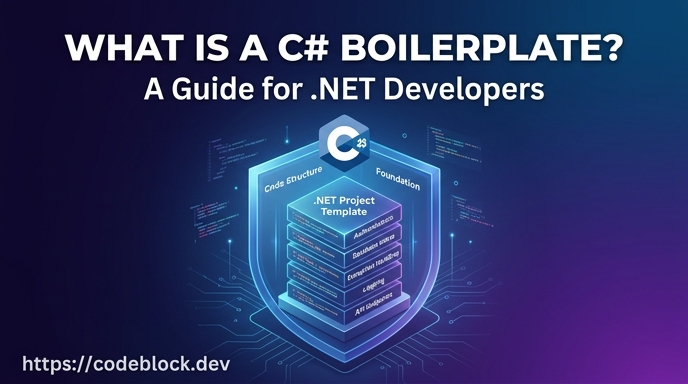 This guide is for .NET developers who want to understand what a C# boilerplate includes, why it exists, and when it makes sense to use one.
What a C# Boilerplate Typically Includes
The minimum a useful C# boilerplate provides:
Project structure. A layered architecture that separates concerns from the start. The most common pattern is a clean architecture split between domain, application, infrastructure, and presentation layers. Getting this right at the start is significantly easier than refactoring an unstructured project later.
Authentication and identity. User registration, login, session management, password reset, and email verification. These flows depend on correct ASP.NET Core Identity configuration, JWT or cookie setup, and the session handling logic that surrounds them. A boilerplate handles this plumbing so you don't rebuild it on every project.
Configuration and dependency injection. A consistent pattern for service registration, environment-specific config, and startup code. This is low-value work in every project that nonetheless consumes more time than it should.
Logging and error handling. Structured logging using something like Serilog, global exception middleware, and a pattern for capturing diagnostics without noise.
Database access. A configured data layer, typically Entity Framework Core or a document database client, with the initial migrations in place.
What a C# Boilerplate for SaaS Adds
For SaaS products specifically, a net boilerplate goes significantly further than a generic project template.
Subscription billing. Stripe integration with webhook handling, plan management, renewal logic, and the edge cases that a basic checkout integration misses: failed charges, retry policies, proration, and cancellation access revocation.
Admin panel. A functional back-office built with Blazor that lets operators manage users, view subscription status, apply adjustments, and diagnose issues. Read-only data views don't count here.
Role-based access control. Permissions that separate admin and customer roles and propagate through the application consistently, not just a boolean flag on the user record.
Background jobs and scheduling. Recurring tasks like subscription renewal reminders, payment retries, and email queues need infrastructure. A SaaS boilerplate provides the job scheduler and the patterns for adding new jobs without wiring this up from scratch.
Monitoring and health checks. Visibility into application health, endpoint status, and background job execution. When something goes wrong in production, you need to know before your users tell you.
How It Differs From Scratch
Building a .NET application from the default dotnet new webapi template means making all of these decisions yourself, in sequence, under time pressure:
- Which auth library? How to configure ASP.NET Core Identity?
- Where does the database context live? How do migrations get applied?
- How does the DI container get organized as the codebase grows?
- Where does logging go? What gets logged?
- How are background jobs scheduled and retried?
None of these decisions are hard individually. Together, they consume two to four weeks of setup before any product-specific code is written. And the decisions you make under that pressure are not always the ones you'd make if you had time to think them through.
A C# boilerplate makes these decisions once, in a way you can trust, and lets you start on the thing that differentiates your product. The SaaS Foundations: The Hidden Work Behind a Real Product article explains why this pre-product work is consistently underestimated.
C# Boilerplate vs .NET Boilerplate: Is There a Difference?
The terms are used interchangeably in practice. "C# boilerplate" emphasizes the language. ".NET boilerplate" or "ASP.NET boilerplate" emphasizes the framework and runtime. They refer to the same class of product: a pre-built, opinionated starting point for .NET application development.
The same applies to "dotnet boilerplate," "asp.net core boilerplate," and "asp net boilerplate" - these are all variations on the same idea, and the search intent behind all of them is the same: a faster way to start a .NET project.
What to Look for When Choosing One
Not all C# boilerplates are equal. When evaluating options:
- Does it target a current .NET version? A boilerplate targeting .NET 6 is already outdated in 2026.
- Is billing actually complete? Check for webhook handling, not just a Stripe checkout button.
- What is the update strategy? Source-based boilerplates require manual merges when the boilerplate updates. Package-based ones (NuGet) update through the package manager.
- Is it maintained? Check the commit history and whether issues are being resolved.
For a comparison of options and what each one covers, The Best SaaS Boilerplates in 2026 (Compared) includes the .NET options in context with the broader ecosystem. And for a closer look at the difference between a C# boilerplate and alternatives like ABP Framework, ASP.NET Boilerplate vs ABP Framework: What Developers Need to Know covers that comparison directly.
CodeBlock DevKit
For .NET developers building SaaS products, CodeBlock DevKit is the production-grade option: a SaaS development kit delivered as NuGet packages covering authentication, subscriptions, admin panel, roles, monitoring, and more. The SaaS template on GitHub shows a complete application assembled from those modules, which is useful as a reference before you start customizing.