How to Build a SaaS App Without Starting from Scratch
The longest part of building a SaaS app usually has nothing to do with your idea.
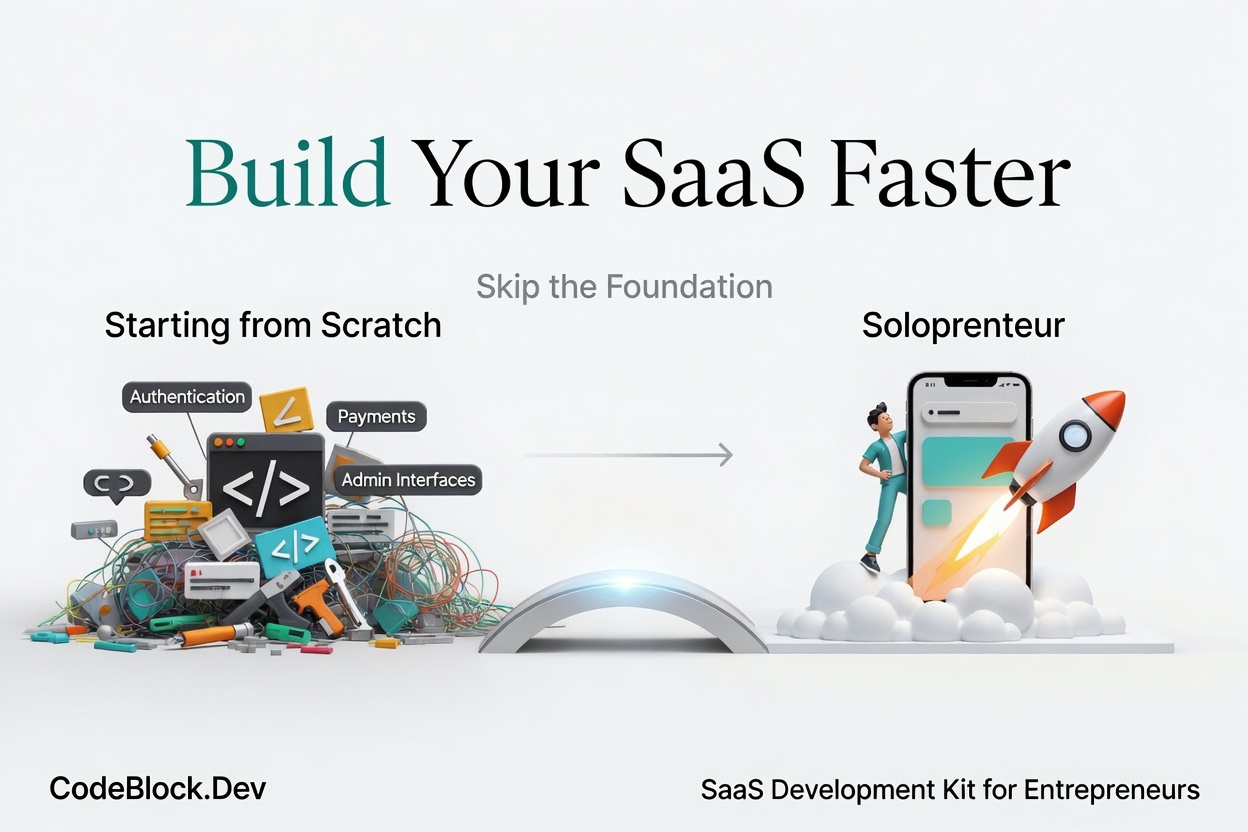 Authentication, billing, user management, admin tools, roles, monitoring - none of this is your product. It's the infrastructure your product sits on. And if you build it from scratch, it takes four to eight weeks before you can even start on the feature that differentiates your SaaS from everything else.
This guide covers how to build a SaaS app by treating that infrastructure as a solved problem from day one.
Step 1: Define What You're Actually Building
Before touching any code, be specific about scope.
Write down three things:
- The one problem your SaaS solves
- Who has that problem (describe a specific person, not "developers" or "small businesses")
- What the user must be able to do in version one to experience the value
That last item is your build list. Everything not on it is a distraction until you have paying users.
If you haven't validated the idea yet, how to find a good SaaS idea and validate it is the right starting point before writing any code. Skipping validation is how you build something polished that no one wants.
Step 2: Choose a Starting Point That Handles the Foundation
This is the decision that most directly determines your timeline.
Building a saas app from scratch means building auth, billing, admin, and user management yourself before you can work on your actual product. Most developers underestimate how long this takes and how many edge cases it contains. SaaS Foundations: The Hidden Work Behind a Real Product covers this in detail.
The alternative is a SaaS boilerplate: a working codebase where auth, billing, admin, and roles are already wired and tested. Your job is to configure it, understand it, and then build on top of it.
When evaluating a boilerplate, check that it includes:
- Real auth flows: signup, login, email verification, password reset, 2FA
- Real billing: Stripe checkout, webhooks, subscription renewal, failed charge handling
- A functional admin panel: not a read-only table, but actual management tools
- Roles: at least admin and customer, with the ability to extend
A boilerplate that doesn't cover all of these just shifts the from-scratch work to a later date.
Step 3: Set Up Your Environment and Configure the Basics
Once you have a working boilerplate, the first sprint is configuration, not building:
- Environment variables: database connection, Stripe keys, email service credentials
- Domain and hosting: get the app deploying to a real URL early, not at the end
- Stripe products and plans: create the actual subscription plans your users will buy
- Transactional emails: welcome email, password reset, subscription confirmation - these need to work before launch
This step typically takes one to three days with a well-documented boilerplate. The goal is a deployed, working app that can accept a real user with a real payment method before you write a single line of product code.
Step 4: Build the Core Feature
With the infrastructure running, every hour now goes toward what actually makes your saas app worth using.
Keep scope tight. Build the minimum version of the core feature that lets a user experience the value you described in Step 1. Resist the pull toward related features, improvements to things that already work, and admin tooling beyond what you need for launch.
If your core feature requires integrations (third-party APIs, data sources, file storage), wire those up now. Keep the UI functional rather than polished at this stage - you'll learn from early users what the interface actually needs to do.
Step 5: Test with Real Users Before a Public Launch
Before announcing to the public, get the app in front of five to ten people who match your target user. Not friends - actual people who have the problem you're solving.
What to watch for:
- Where do they get confused or stuck in onboarding?
- Do they reach the core feature, or drop off before it?
- What questions do they ask that your UI doesn't answer?
This round of feedback is cheap to act on now and expensive to fix after a public launch. Adjust the onboarding flow, fix any critical bugs, and clarify anything that's confusing before the wider announcement.
Step 6: Set Up Payments and Launch
If you haven't enabled real payments yet, do it before launch - not after. Even if you're offering a free trial, the billing infrastructure should be live and tested.
Check:
- Can a user actually complete checkout and receive a confirmation?
- Does a subscription renewal process correctly?
- Does a failed payment trigger the right behavior (retry logic, grace period, downgrade)?
These flows need to work on launch day. Billing issues in the first 48 hours destroy trust faster than almost any other problem.
When everything is confirmed working, launch to your test users first, then expand from there.
The .NET Path
For .NET developers, how to build a production-ready SaaS in .NET goes into the stack-specific details: project structure, module setup, hosting, and deployment.
CodeBlock DevKit handles Steps 2 and 3 of this guide for .NET developers: a complete SaaS infrastructure kit as NuGet packages covering auth, subscriptions, admin panel, roles, and more. The SaaS template on GitHub shows everything wired together in a deployable application.