What Is a SaaS Template? A Practical Guide for Builders
A SaaS template is a pre-made starting point for building a software-as-a-service application. Rather than beginning with a blank codebase or a blank design canvas, you start with a structure that already has the basics in place: layouts, navigation, pages, and sometimes backend logic.
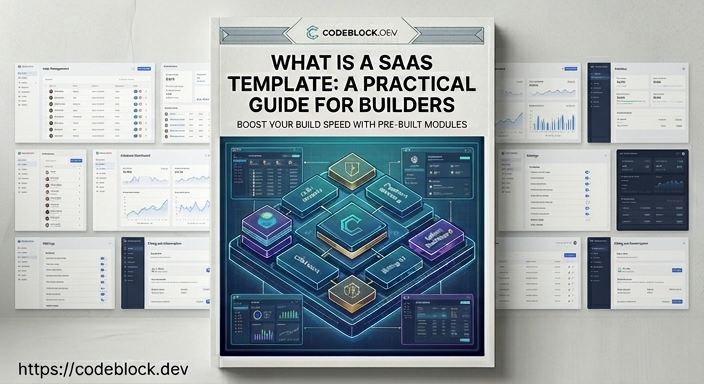
The catch is that "saas template" covers a very wide range of products. A free React dashboard and a fully functional SaaS boilerplate with working auth and billing can both be called "templates." Understanding what you're actually getting matters before you commit to one.
What Falls Under the "SaaS Template" Label
At the simpler end, a SaaS template is a UI kit: polished page layouts for a SaaS product, including landing pages, pricing pages, user dashboards, and admin views. You get design and structure, but the backend is yours to build.
At the other end, some saas app templates ship as full-stack applications: authentication already wired, subscriptions connected to Stripe, admin panel functional, and user management ready. These are effectively SaaS boilerplates with the template label reflecting the author's naming preference more than a meaningful distinction.
Most products fall somewhere in the middle: a UI with partial backend logic, or a working prototype that still needs production hardening. The exact definition varies by product, not by the term itself.
What a Good SaaS Template Should Include
If you're evaluating a SaaS template with the intention of shipping a real product, here is what the useful ones include:
Pages and layouts: Landing page, pricing page, onboarding flow, user dashboard, and admin section. These should be responsive and customizable without a redesign.
Authentication UI and logic: Sign-up, login, password reset, and email verification. Not just the pages - the actual flows, including error states and session handling. A login form without the email verification and reset flows is a problem.
Subscription and billing: A checkout flow, plan selection, and real payment processor integration. This is where many templates fall short. They show a pricing page without wiring up the payment logic behind it, which means you're back to building from scratch anyway.
Admin panel: A real interface for managing users, viewing subscription status, and handling support tasks. An admin view that only shows a table of users is not enough for a production SaaS.
Roles and permissions: Basic separation between admin users and customers, with the ability to extend as the product grows.
For context on why each of these layers matters in practice, SaaS Foundations: The Hidden Work Behind a Real Product explains what goes into the foundation before a product can handle real users.
Free SaaS Templates: What You're Actually Getting
There are many free saas template options available on GitHub and design resource sites. They're useful as learning references or for spinning up demos quickly. For production use, be realistic about what free covers:
- The UI is usually polished but the backend logic is often minimal or absent
- Maintenance is inconsistent - check when the repository was last updated
- Real payment processor integration typically isn't included
- Support is community-only, if it exists at all
- Licenses vary; some restrict commercial use
Free templates make sense for prototyping. They're a harder starting point for a product you intend to charge money for - not because of cost, but because the gaps show up exactly when you can least afford the delay.
Questions to Ask Before Choosing a Template
Before committing to any template or boilerplate, check:
- Does the auth flow handle email verification and password reset, or just the login form?
- Is billing actually integrated, or is it shown as a UI mock?
- When was the repository last updated, and are issues being addressed?
- Does the license allow commercial use without restrictions?
- Is there documentation that explains how to customize and extend it?
A template that looks good but fails on these questions will cost you more time than starting from scratch.
Template or Boilerplate: Which Do You Need?
If you're building a production SaaS that will have real users and subscriptions, you need more than a visual template. You need working backend logic: auth, billing, admin, roles. At that point, you're looking for something closer to a boilerplate than a template. The difference between the two comes down to what's actually wired up and working.
If you're building a demo, pitching investors, or testing a UI concept, a simpler template is faster and the right tool for that stage.
A Full-Stack Starting Point
For .NET developers, CodeBlock DevKit sits at the full-stack end of this spectrum. It provides working modules for auth, subscriptions, admin panel, and more, alongside a SaaS app template on GitHub that shows how all the pieces fit together in a real application.
If you're deciding between a React or Blazor frontend for your SaaS template, React SaaS Template vs Blazor SaaS Template: A Developer's Take covers the practical differences and gives a direct recommendation based on team background.